
Medicare
Web service interface designed for scheduling online appointments between a doctor and a patient.
Year
2024
Client
Go IT Workshops
Project Type
UX Case Study / Team project
Role
Lead UX/UI Designer

Project Overview
About Project
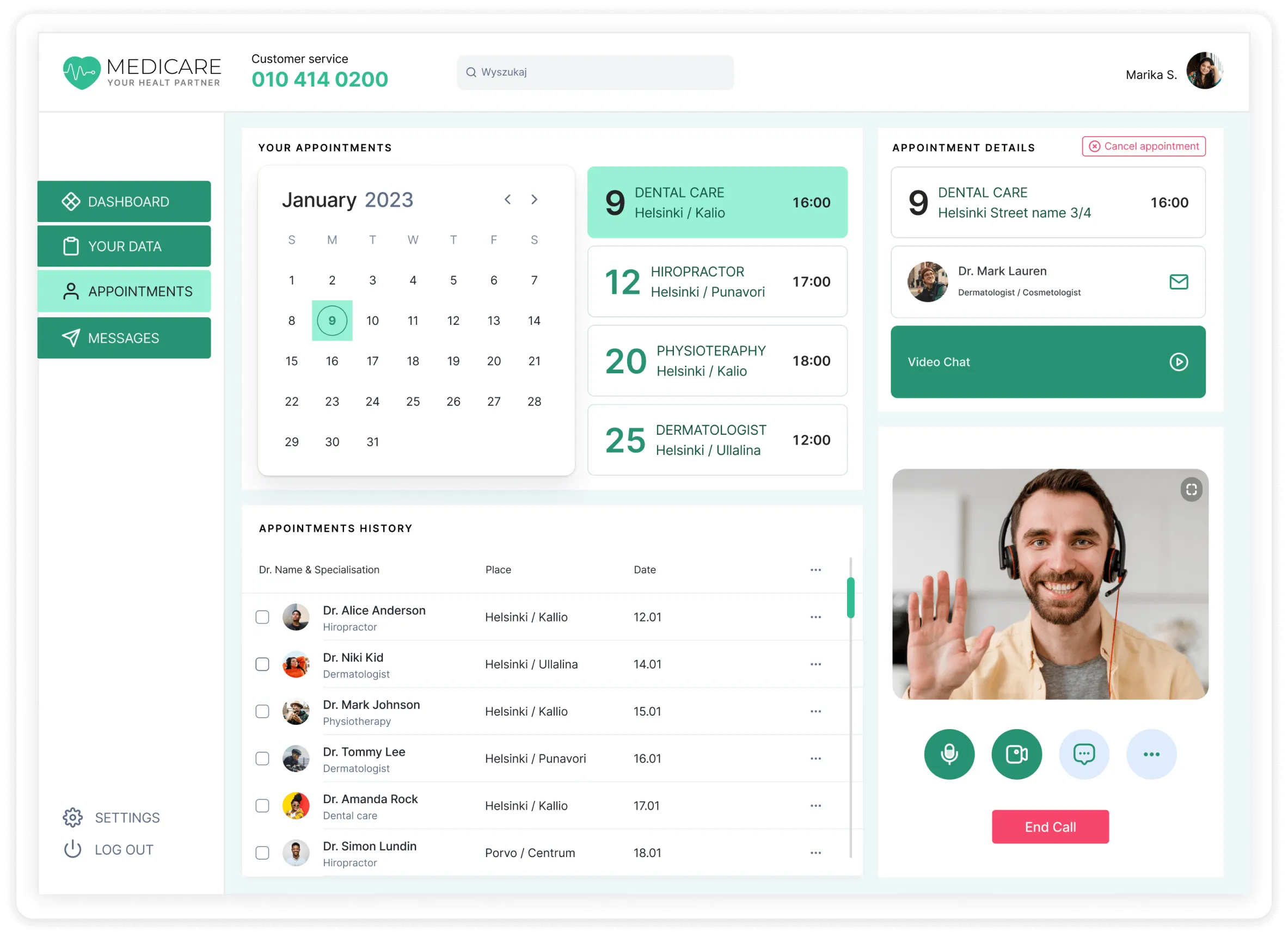
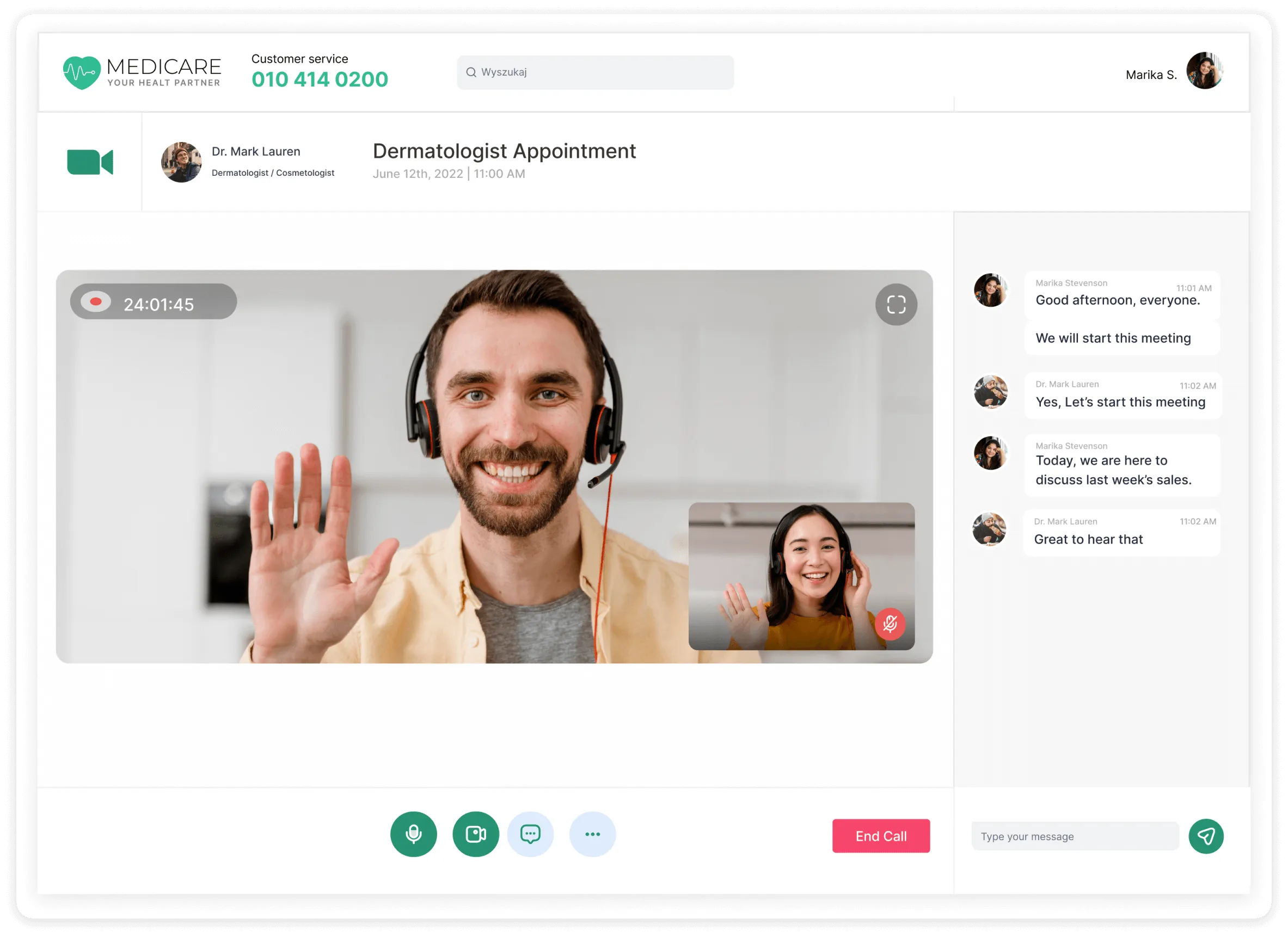
For the past 40 years, doctors have spent most of their working time filling out consultation reports, which is a significant cost for medical facilities worldwide. Medicare allow the doctor to review the patient's medical history, schedule appointments with the patient in the calendar, and conduct online conversations between the doctor and the patient. Imagine that using video call technologies and speech recognition, it is possible to contact a patient through web service, and during the conversation, the service recognizes what the doctor and patient are saying and fills out the report for the doctor.
Objective
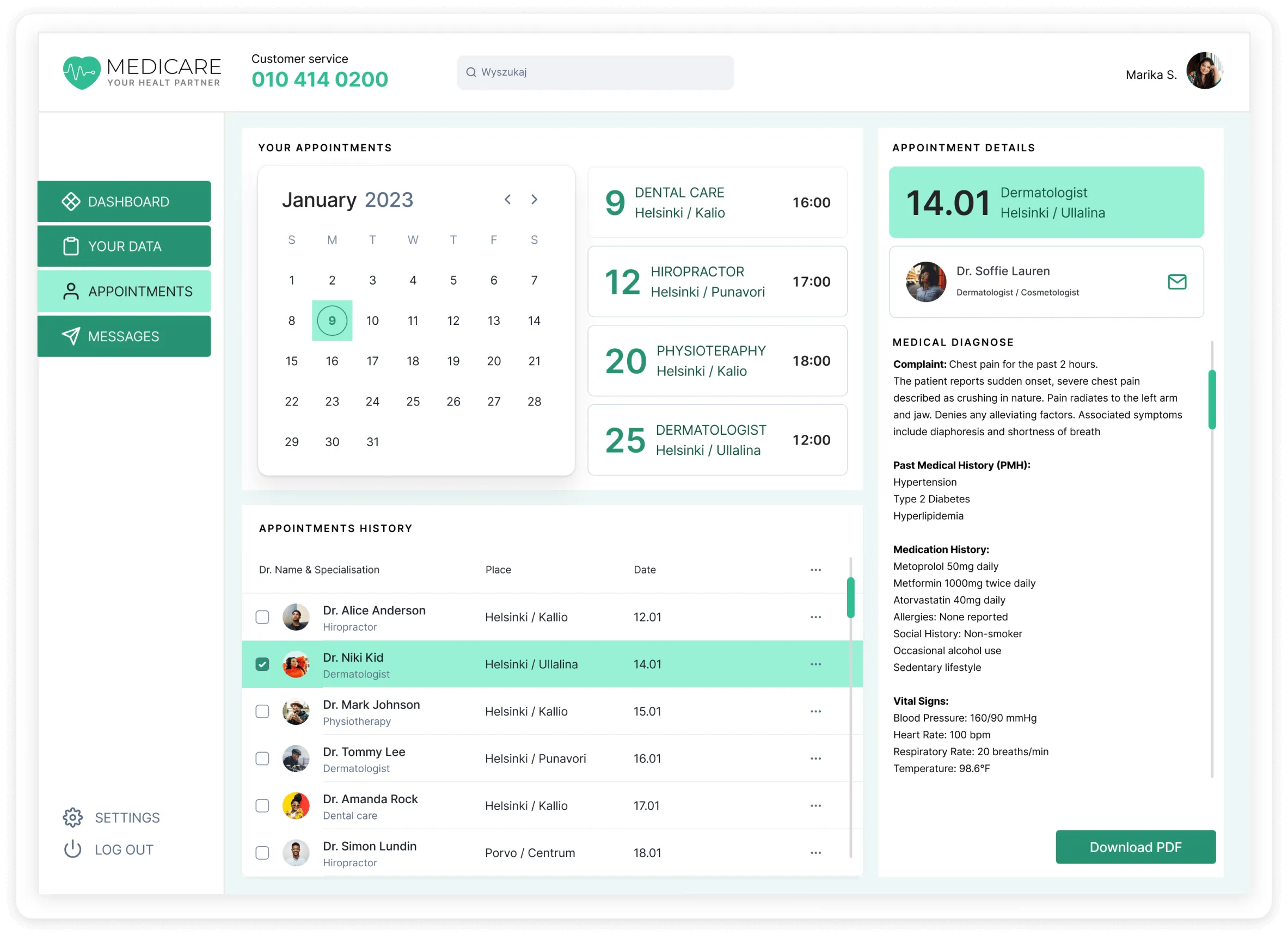
Design a visual interface for a telemedicine system that includes a list of upcoming scheduled calls displaying the patient’s last name, date, time, and allocated duration; a section for the decrypted doctor–patient dialogue that may include untranslated words or flagged irregularities; a video area showing the connected patient; and an automatically generated report summarizing the current call.
My Role/Responsibilities
UI Designer
UX design
Design system management
Project Stages
User Experience Design
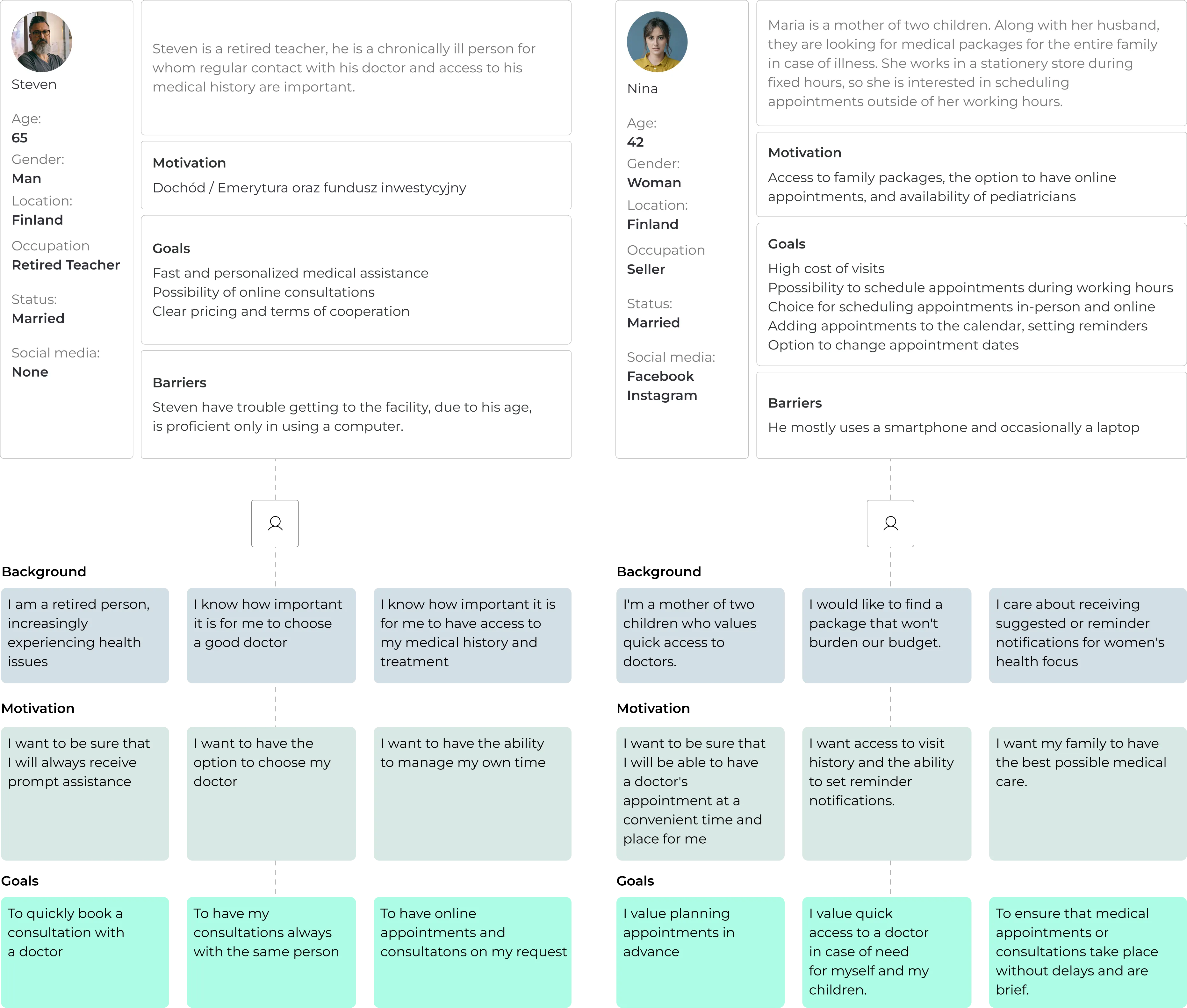
We analyzed the market to identify existing products in this field, conducting a comparative study of five competitors to uncover their key strengths and weaknesses. Based on these insights, we developed detailed User Personas—a qualitative research approach aimed at representing potential users through realistic profiles that capture their goals, behaviors, and needs.
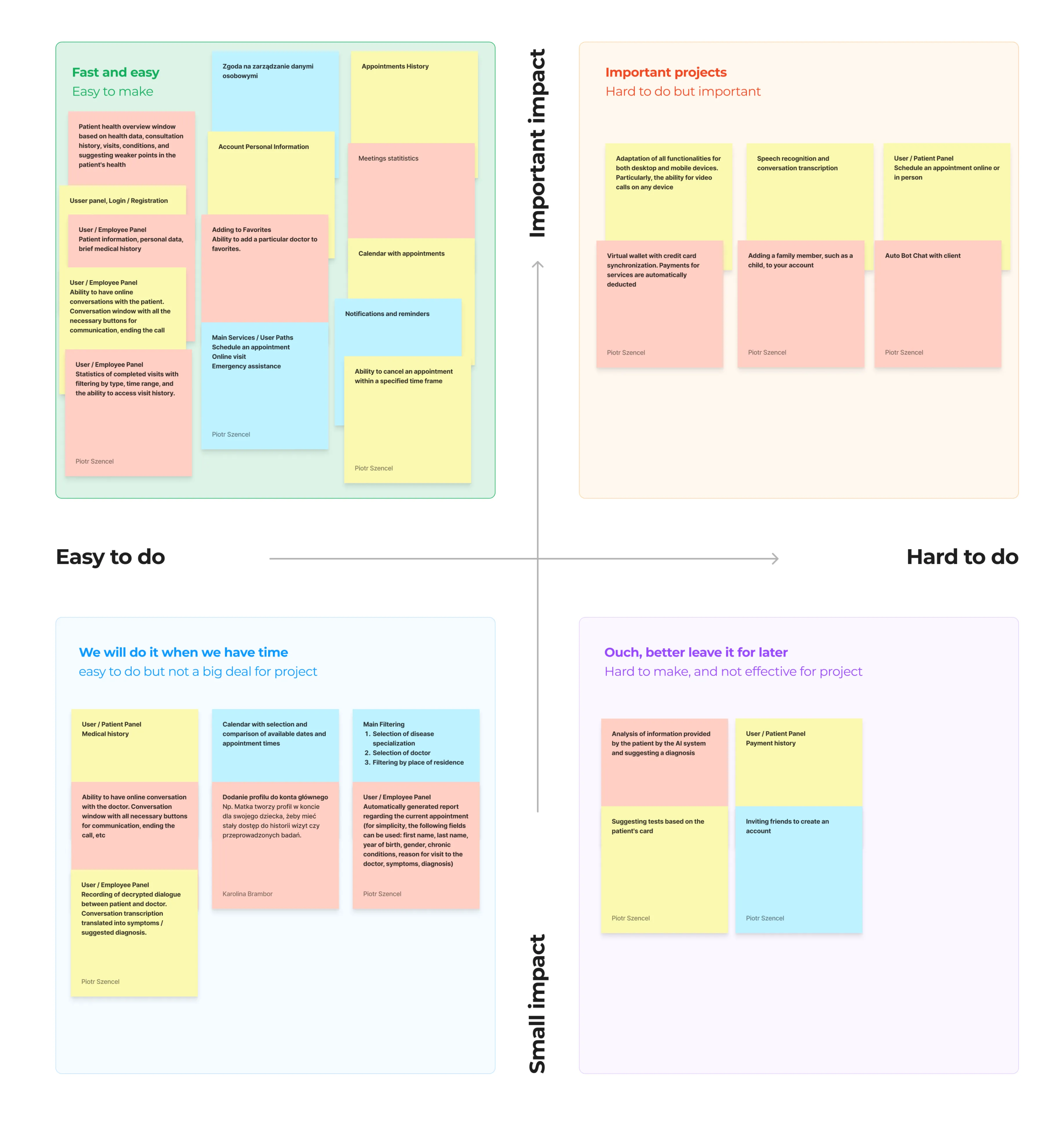
Team Brainstrom
The UX design process starts with brainstorming ideas to solve user needs and improve usability. Key tasks are then organized and prioritized based on importance and impact, ensuring the most valuable features are designed first for a clear, user-focused experience.
User Personas
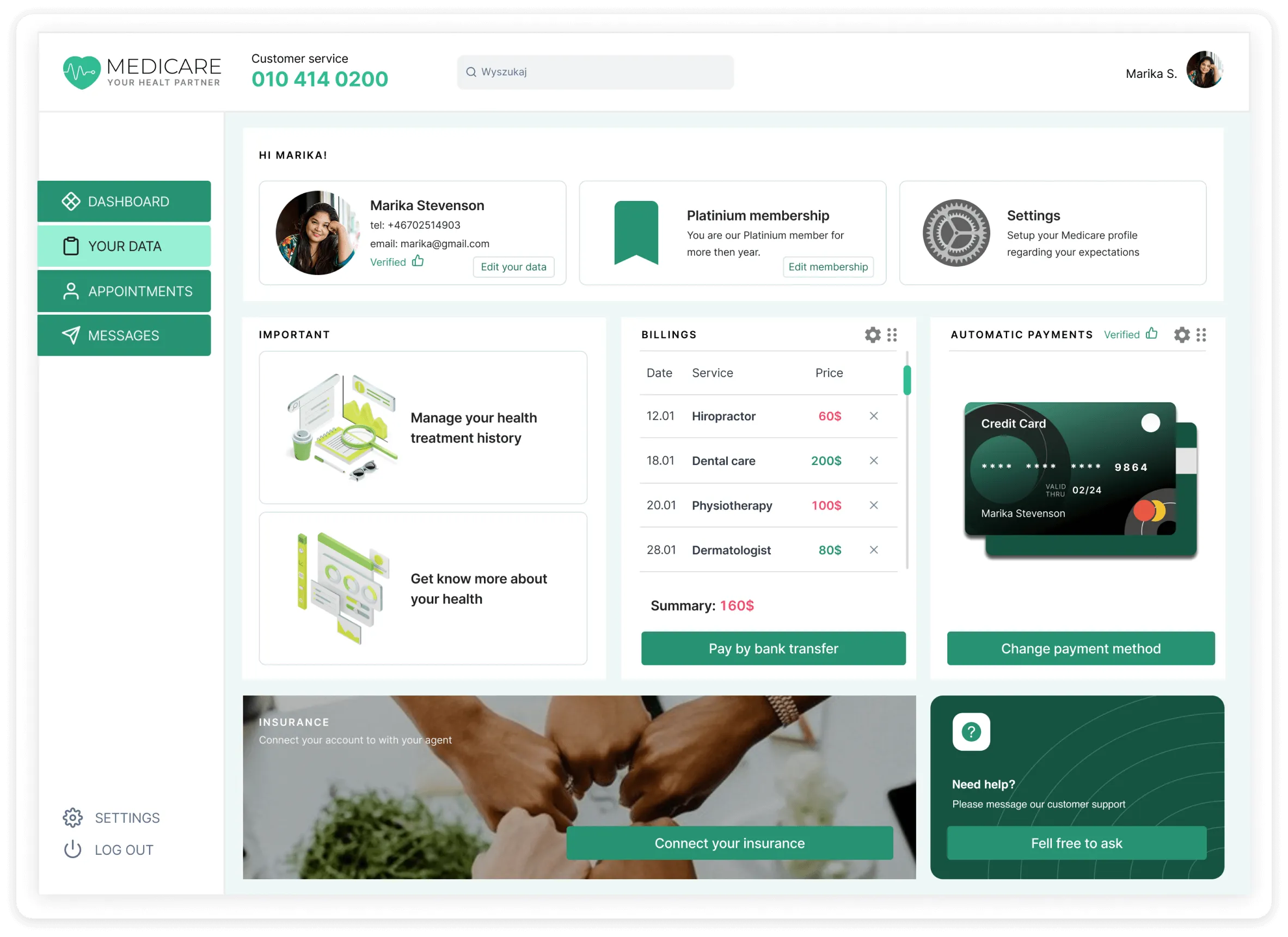
The user wants to be able to create an account and manage their data. He want to use filtering based on appointment availability. He also want to search for doctors based on specialization and years of experience.
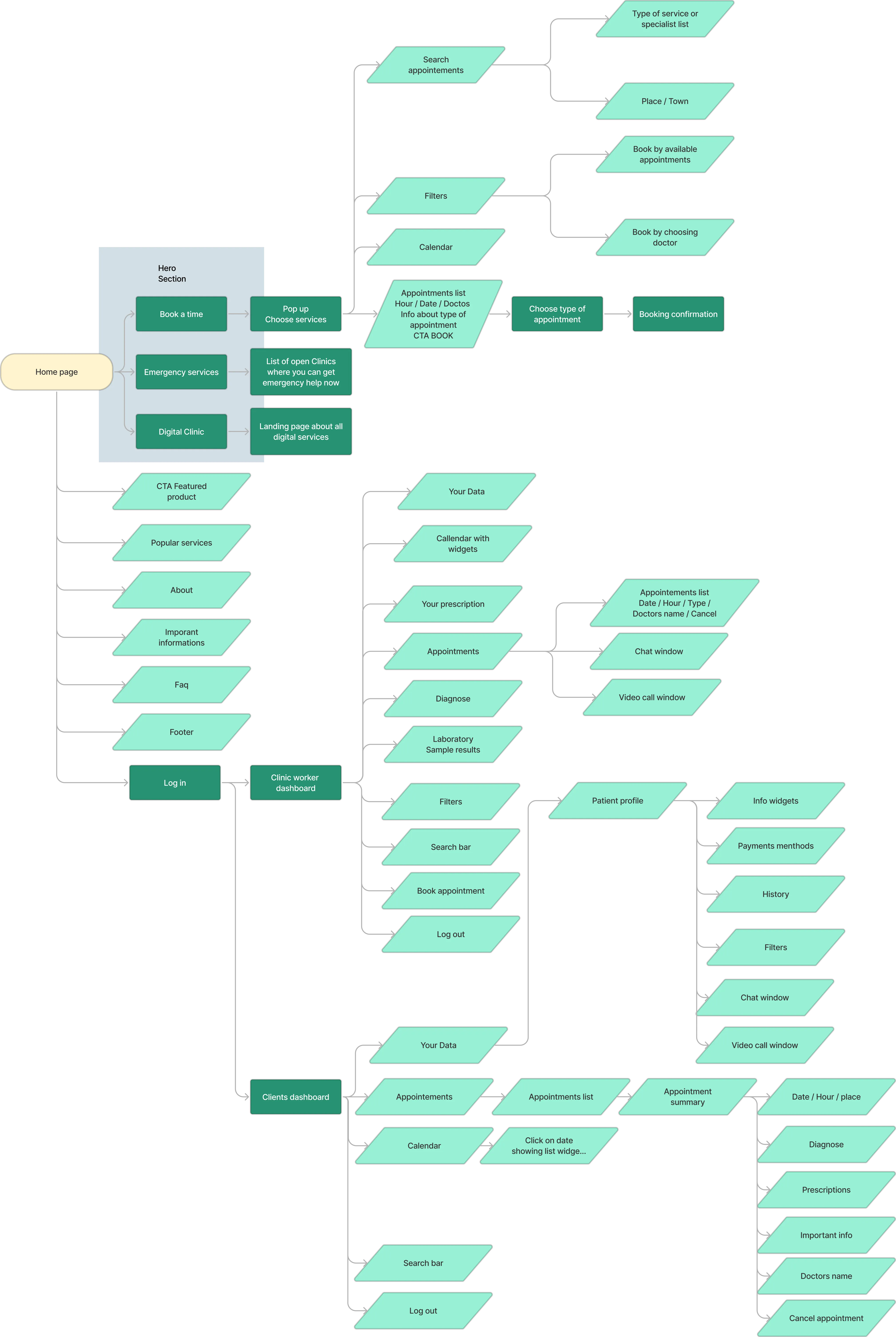
The Structure
We focused on organizing content into a clear and logical hierarchy. The goal was to make navigation intuitive, ensuring users can quickly find what they need. We mapped out main sections, subpages, and user flows to create a seamless and engaging browsing experience.
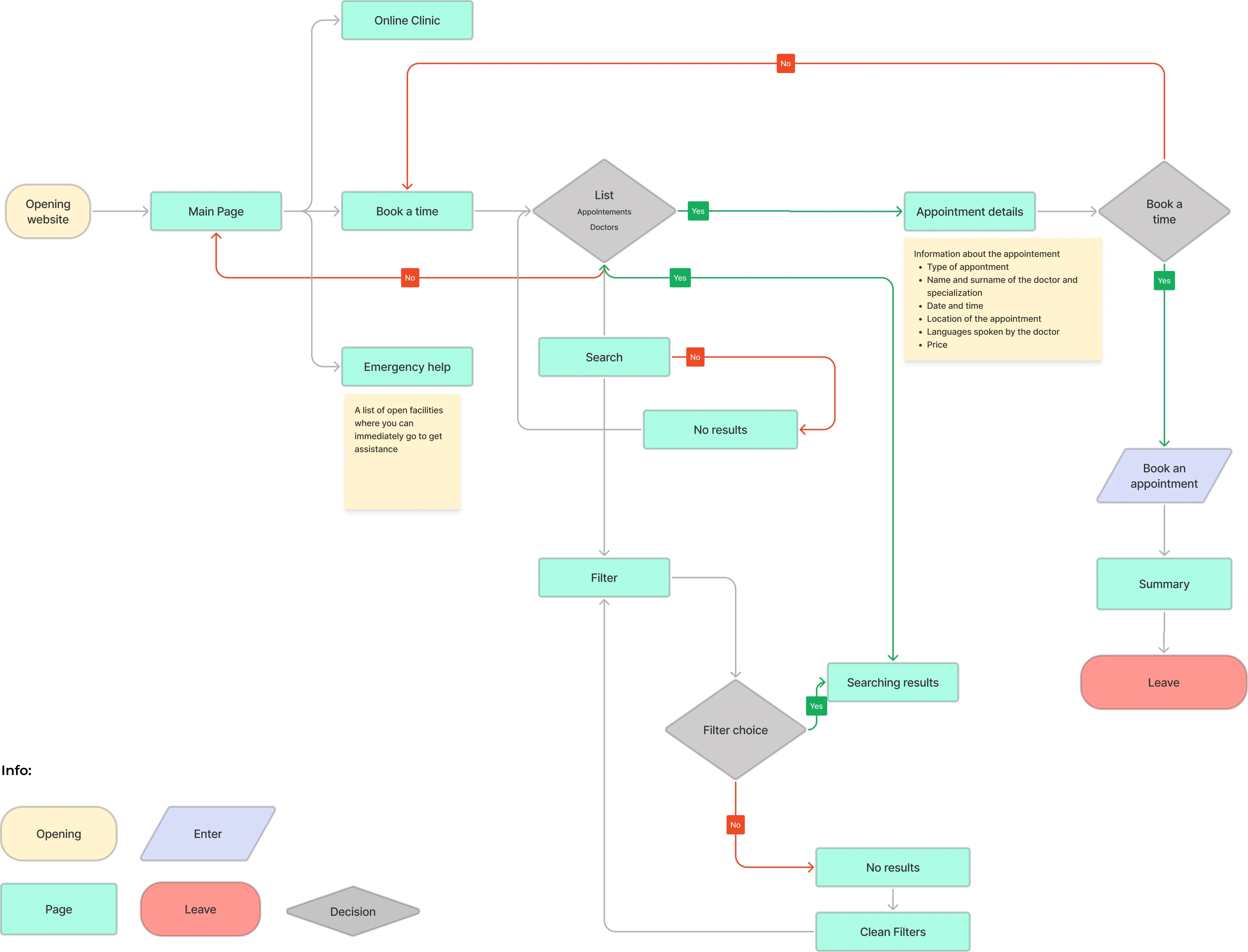
Customer Journey
We analyzed each stage of the user’s interaction with the product — from first contact to final engagement. This helped identify pain points, motivations, and opportunities to improve the overall experience, ensuring every step feels smooth, intuitive, and meaningful.
Design System
For the design system, we selected an existing framework and adapted it to match our key visual style. This approach ensured consistency across all components while allowing flexibility to reflect our brand’s unique identity and aesthetic.
.webp)
Wireframes
.webp)
Final User Interface Design
Medicare UI
.webp)

.webp)
Clients Dashboard
.webp)